

Lesson
Dashboard
Lesson 1
Family Selection
Lesson 2
Family Data File
Lesson 3
Attendance
Lesson 4
Parent Engagement & Strengthening
Lesson 5
Health & Social Services
Lesson 6
Expulsion & Suspension
Lesson 7
Community Involvement
Lesson 8
Site Licensure & License Exempt
Lesson 9
Staff-Child Ratios
Lesson 10
Classroom Assessment System
Lesson 11
Nutritional Needs
Lesson 12
Desired Results Profile & Data

Compliance
Indicator
The program maintains age-appropriate Desired Results Developmental Profiles 2015 (DRDP 2015) to monitor the progress of the child’s learning. The program uses DRDP data to plan and conduct age and developmentally appropriate activities.
NOTE: Programs are invited to become early adopters of the DRDP 2025 and use DRDP 2025 in place of or alongside DRDP 2015; however, DRDP 2015 remains required for children with IEPs or IFSPs until June 30, 2026.
Regulations/Reference
EED Program Instrument: III. Program Quality EED 16
Education Code: 8203, 8203.5, & 8207
Title 5: 17700 (v-x), 17702, 17703, 17709, & 17731
Monitoring Review Evidence
Completed Desired Results Development Profiles
Activity Plans
Development Profile
Desired Results Development Profile Classroom Summary of Findings
Watch Video Lesson ❯
Accessibility Note: The complete accessible content is available in the video and transcript below. The transcript can be accessed using the transcript option in the video player controls. The slide deck is provided for visual reference and may not be fully accessible.
Video Description: This video provides an overview of the Desired Results Developmental Profile requirements for children enrolled in center-based programs.
Sample Forms/Tools ❯
Review Sketch Pad Notes ❯
DRDP Overview
Orientation to the DRDP
The Desired Results Developmental Profile (DRDP) is a child observation tool that aligns with the California Learning Foundations.
DRDP provides teachers with a means to assess children's learning along a Developmental Continuum from Infancy through third grade.
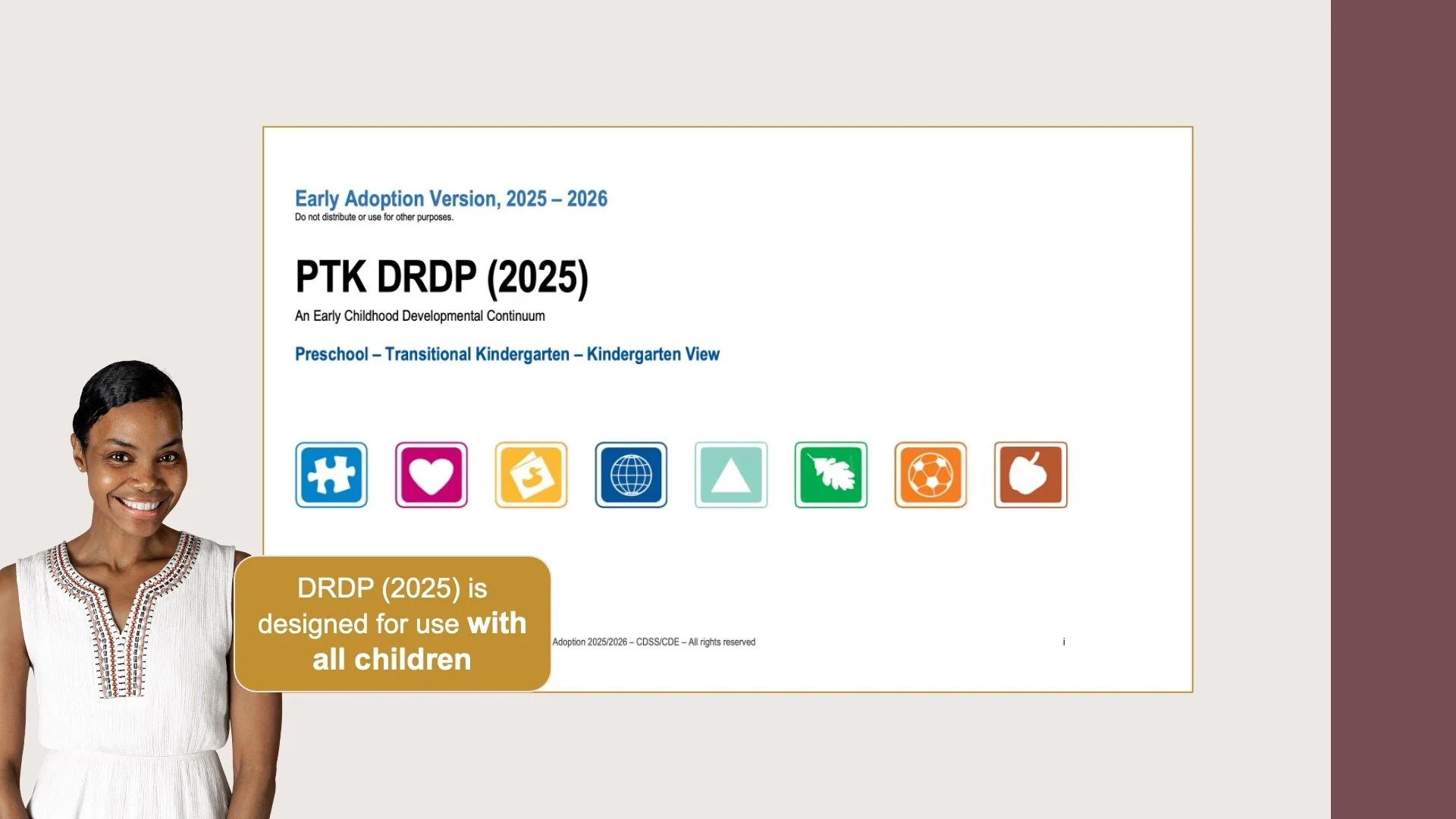
The DRDP (2025) was designed for use with all children including those with IFSPs, IEPs, and dual language learners and reflects current research in child development and emphasizes inclusivity.
The DRDP is a formative assessment instrument developed by the California Department of Education & California Department of Social Services for young children and their families to be used to inform instruction & program development.
Beginning July 1, 2026, teachers must use & complete the age-appropriate DRDP 2025 view for each child enrolled in their preschool program.
Timelines
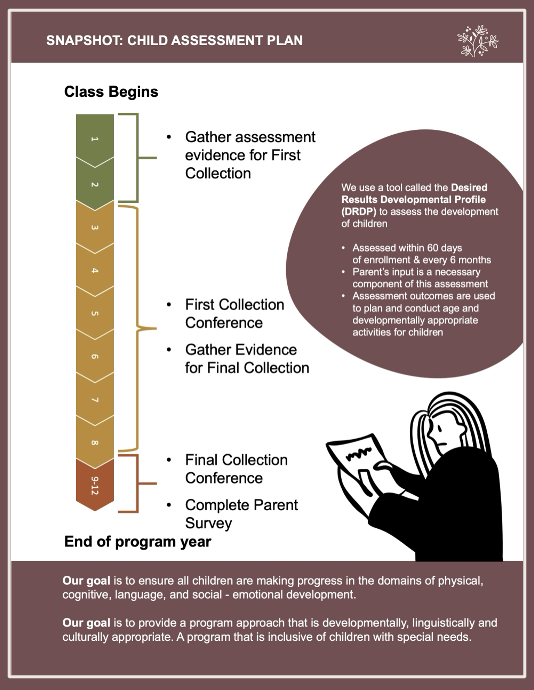
Complete age-appropriate DRDP for each child enrolled in the program for at least 10 hours per week and for any child with exceptional needs
Complete for each child between 60 to 90 calendar days of the child's enrollment in the program
Completed at least once every 6 months thereafter
NOTE: For Head Start programs, a mid-point check or 3 collections is typically completed
Preparation
The DRDP Assessment Tools are available to download on the Desired Results webpage.
Before collecting assessment evidence, read through the entire DRDP assessment tool to know what behaviors & skills to consider. Pay special attention to the 4 D's of the assessment (Domain/Definitions/Developmental Levels/Descriptors)
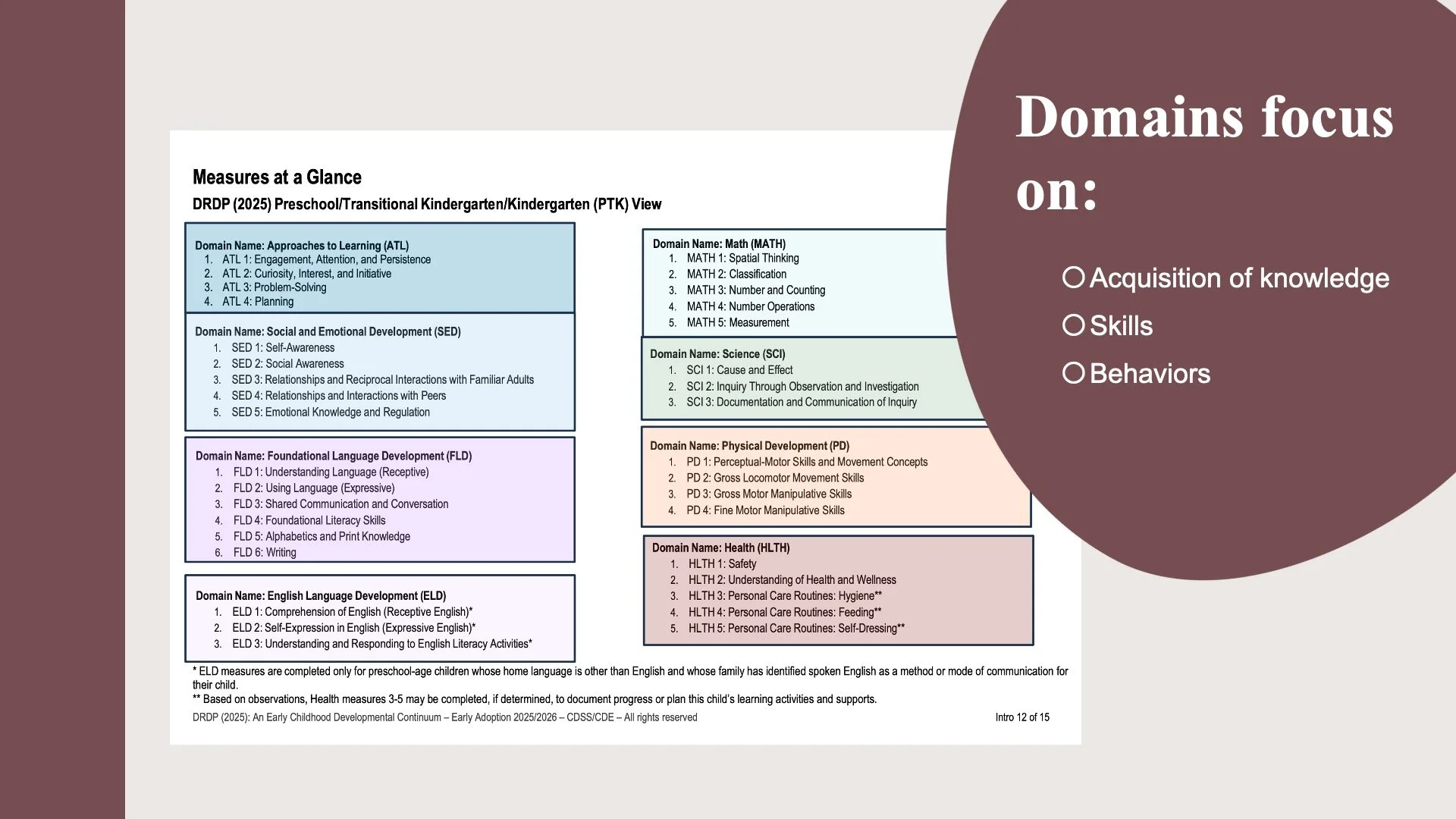
The DRDP is made up of eight domains that each focus on the acquisition of knowledge, skills, or behaviors that reflect each domain’s developmental constructs.
NOTE: Within the DRDP 2025 Instrument & Forms webpage, printing instructions have been provided as the layout has changed. One measure has been spread out over two pages; therefore, the instructions ensure the instrument prints adequately.
Applicable CSPP instrument views:
Infant/Toddler (I/T):
In CSPP, for children two years eight months & younger
Preschool, Transitional Kindergarten, Kindergarten (PTK):
In CSPP, for children two years nine months & older
Covers preschool, transitional kindergarten, & kindergarten development
Measure levels go through Integrating Later
NOTE: There will no longer be different views for preschool like there was for DRDP 2015 (Essential, Fundamental, Comprehensive). The tool is designed for use with all children including those with IFSPs, IEPs, and dual language learners.
Steps of DRDP System
STEP 1: Observation & Documentation
West Ed DRDP Resources. DRDP Uploading Photo and Video to the DRDP Online Portfolio for Teachers [Video]. Embedded May 18, 2026 from desiredresults.us
West Ed DRDP Resources. DRDP Online-Using the Portfolio Feature for Teachers [Video]. Embedded May 18, 2026 from YouTube.com
Since the DRDP focuses on the child's behavior, knowledge & skills, the first step is to capture a child's behavior through incorporating observation in natural settings.
Observations are completed & maintained in a paper portfolio OR electronic child portfolio to keep the observation documentation organized
What this might look like in practice:
Directly document and upload child observations within DRDP Online Portfolio feature.
STEP 2: Measures are Rated
West Ed DRDP Resources. Input Ratings in DRDP Online for Teachers [Video]. Embedded May 18, 2026 from YouTube.com
Based on the supporting observation records, the educator will determine the latest developmental level for each measure the child has mastered & mark it appropriately within DRDP Online.
STEP 3: Finalize Assessment Data
West Ed DRDP Resources. Rating And Locking Measures in DRDP Online for Teachers [Video]. Embedded May 18, 2026 from YouTube.com
For early education & support programs the ratings must be entered into DRDP Online.
Once ratings have been inputed the assessment data must be finalized. This is done by LOCKING the rating record.
NOTE: The use of DRDP Online meets the record retention requirement. No paper copies of the rating record are when assessment data is stored in DRDP Online.
STEP 4: Data Planning
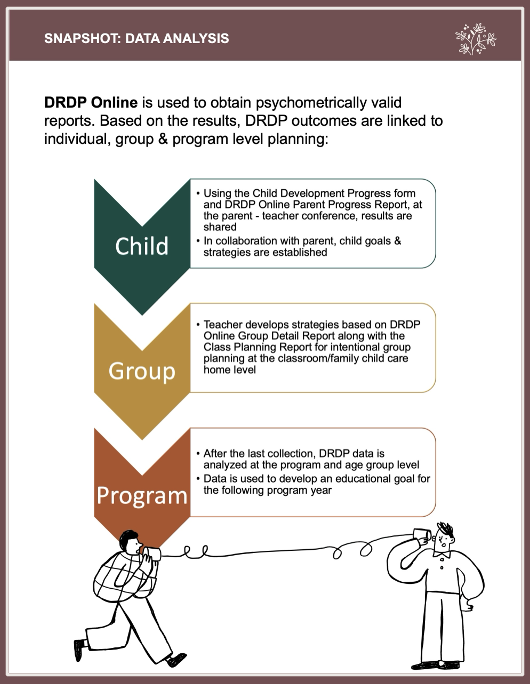
Contractors are required to use DRDP Online to obtain psychometrically valid reports. Based on the results, DRDP outcomes are linked to individual, group & program level planning:
Child: Using the Child Development Progress form & DRDP Online Parent Progress Report, results are shared at the parent teacher conference. In collaboration with parent, child goals & strategies are established.
HIGHLIGHT: Check-out our Parent-Teacher Conference kit
Group: Educator will develop strategies based on DRDP group data for intentional group planning at the classroom/family child care home level.
Program: After the last collection, DRDP data is analyzed at the program level by age group. Based on the findings, contractors must define at least one educational goal to address important issues & document it on the Summary of Findings Program Action Plan Educational Goal form along with developing & writing attainable action steps & the expected completion date & persons responsible.
West Ed DRDP Resources. DRDP Online: Parent Progress Report [Video]. Embedded April 16, 2024 from YouTube.com
West Ed DRDP Resources. DRDP Online: Class Planning Report [Video]. Embedded April 16, 2024 from YouTube.com
Activity Planning

West Ed DRDP Resources.
Using the Activity Bank in DRDP Online [Video]. Embedded May 18, 2026 from YouTube.com
Educators use DRDP information to plan & conduct age & developmentally appropriate activities. Activity plans are developed using ALL of the following:
Agency adopted curriculum
Educators incorporate strategies to meet individual child goals within lesson plans, which MUST be documented on the activity plan using a letter or number system tied to the child
In addition, classroom & program activities are incorporated into lesson plans based on the Summary of Finding Action Plans
Complete Knowledge Check ❯
After reviewing the video lesson & sketch pad notes, it’s time to check for understanding by completing a Knowledge Check. Note that Individual Knowledge Checks will conclude with a Certificate.