

Lesson
Dashboard
Lesson 1
Family Selection
Lesson 2
Family Data File
Lesson 3
Attendance
Lesson 4
Parent Engagement & Strengthening
Lesson 5
Health & Social Services
Lesson 6
Expulsion & Suspension
Lesson 7
Community Involvement
Lesson 8
Site Licensure & License Exempt
Lesson 9
Staff-Child Ratios
Lesson 10
Classroom Assessment System
Lesson 11
Nutritional Needs
Lesson 12
Desired Results Profile & Data
Lesson 13
Parent Survey
Lesson 14
Staff Qualifications
Lesson 15
Staff Development Program
Lesson 16
Refrain from Religious Instruction
Lesson 17
Inventory Records
Lesson 18
Program Self-Evaluation
Lesson 19
Contractor Parent Policies
Lesson 20
Fiscal

Compliance
Indicator
The program has submitted fiscal attendance and accounting reports to the CDE consistent with the laws for state or federal fiscal reporting and accounting, including the set-aside for enrollment of children with disabilities.
Regulations/Reference
EED Program Instrument: V. Fiscal EED 24
Education Code: 8208, 8231, 8232, 8236, 8247 & 8336
Title 5: 17821
Fiscal Handbook: Enrollment, Attendance, & Fiscal Reporting, & Reimbursement Procedures for Early Education Contracts
California School Accounting Manual
Monitoring Review Evidence
Child Development Fund
Fiscal Attendance & Accounting Reports
Set-Aside for Children with Disabilities (Exceptional Needs)
Watch Video Lesson ❯
Accessibility Note: The complete accessible content is available in the video and transcript below. The transcript can be accessed using the transcript option in the video player controls. The slide deck is provided for visual reference and may not be fully accessible.
Video Description: This video discusses revenue and expenses reporting requirements for State Preschool programs.
Sample Forms/Tools ❯
Review Sketch Pad Notes ❯
Fiscal Reporting
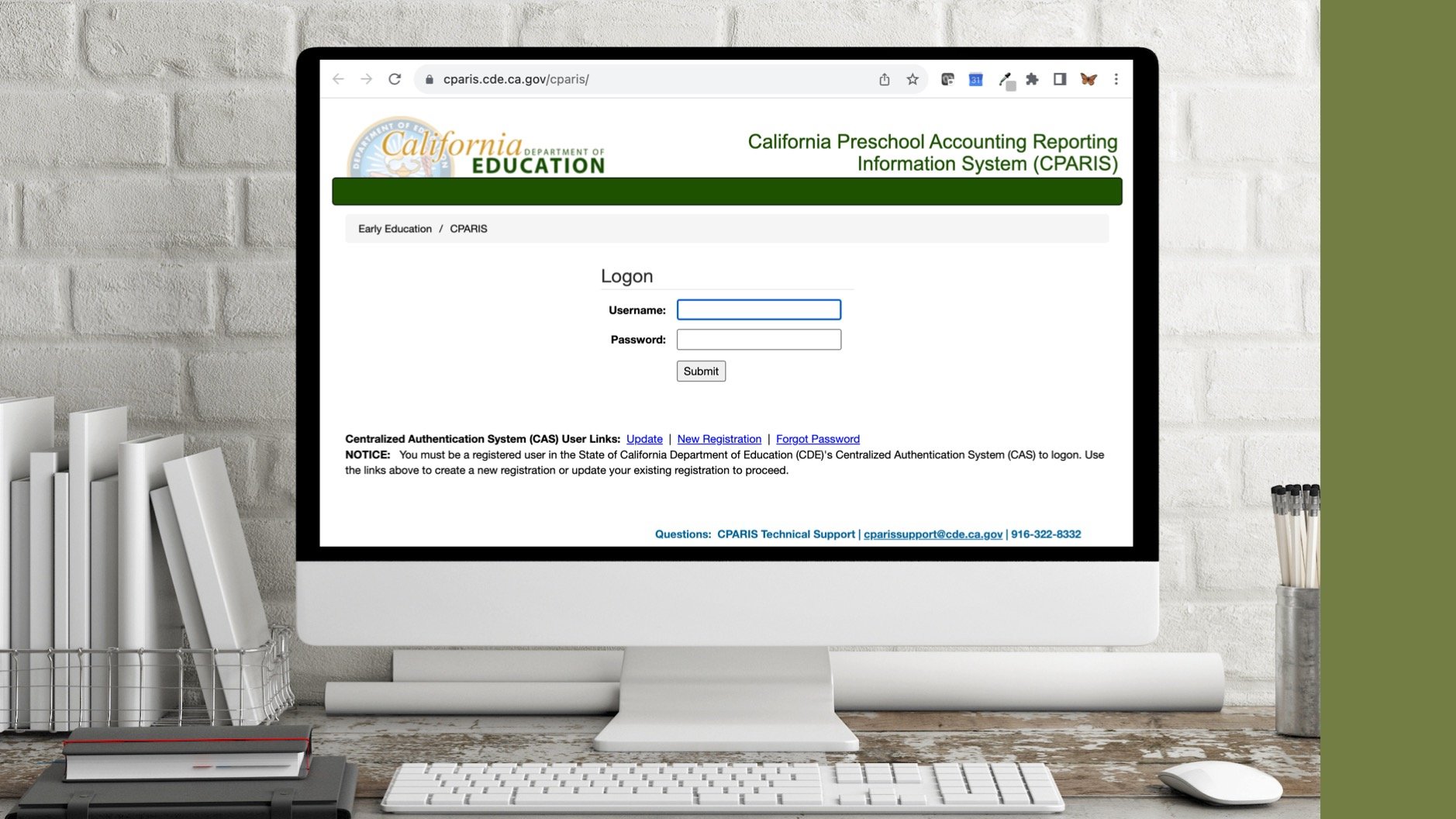
Contractors are required to submit monthly or quarterly fiscal reports depending upon their contract. Monthly reporting is required for “Contractors on conditional or provisional status” For all other contractors, fiscal reports are submitted quarterly. Reports are due by the 20th of the month following the end of the reporting period.
Fiscal data is submitted online within the California Preschool Accounting Reporting Information System (CPARIS). CPARIS is the web-based system through which State Preschool programs, submit required attendance and fiscal reports.
Within CPARIS the Enrollment, Attendance & Fiscal Report is separated into three sections:
Enrollment & Attendance: Report data by county
Fiscal: Report at contract level
Finalize Calculations: Summary
Days of Operation

Minimum Days of Operation (MDO) impact a contractors Maximum Reimbursable Amount (MRA). MDO is reported in CPARIS at the contract level, inclusive of all service counties.
A “Day of Operation” is a day the contractor provides child care & development services for one or more certified children enrolled.
Since MDO impacts funding, contractors must ensure they are on target to meet their MDO. On year-end calculations if the actual days of operation are:
Greater than or equal to 98% of the MDO, the MRA will not be affected
Less than 98% of the MDO, the MRA will be reduced in proportion to the percentage of the MDO that the contractor was not in operation. This could result in a billing if the contractor has been paid more than the reduced MRA.
NOTE: If your MDO needs changed from what was submitted at the time of initial or continued funding application, submit a revised calendar, along with a Program Narrative Change form.
Revenue

Report all revenue related to the program for both certified and non-certified children and its corresponding expenses within CPARIS.
Do NOT report Early Education apportionment payments received from the California Department of Education or funds required to be reported in the Supplemental Revenue & Expense section.
Restricted Income


Restricted income is income that may only be expended for certified children or is provided for specific, limited purposes.
Within CPARIS, Restricted Income is entered within the top rows of the Revenue Reporting page which includes:
Child Nutrition Programs:
Report Child Nutrition Programs revenue received and spent for your early education programs during the current reporting period.
Exceptional Needs/Severely Disabled Service Level Exemption Credit:
Report exceptional needs deferred revenue when there are associated expenses to report
County Maintenance of Effort:
Report Maintenance of Effort funds received from the county, which are restricted for childcare operating costs in the current fiscal year
American Rescue Plan Act (ARPA):
Report any ARPA funds for which they have associate expenses for
Other Revenue:
Report any other restricted income received and spent for early education programs, such as from field trip fees, sale of state purchased equipment or interest on allocations outside of the contract
Subtotal Revenue
Transfer from Preschool Reserve:
Report the amount of funds transferred from the reserve fund during the fiscal year and used for reimbursable expenses for certified children
Family Fees for Certified Children:
Not applicable to Part CSPP
Interest Earned on Apportionment Payments:
Report all interest earned on advanced department funds for this contract
As a reminder, an agency must first spend family fee & interest revenue. You will not touch state contract dollars until the fees are earned & spent. Your apportionment will be reduced by the family fee & interest amount.
Reserve Accounts

Contractors who earn but do not spend all of their contract funds are allowed to maintain a Reserve Account from “earned but unexpended” funds.
Contractors may retain a maximum of 15 percent of the preschool contract the contractor operates.
NOTE: The calculation of the 15% maximum reservable amount happens separately for the contractor’s preschool reserve vs. CDSS center-based programs reserve.
The 15 percent General Reserve amount may be used for “reasonable and necessary costs” in excess of contract reimbursement. Additionally, reserve accounts do not need to be split out. The contractor must simply be able to track the interest and transfers by reserve type.
To learn more about reserve accounts for all your state program contracts, please refer to the Enrollment, Attendance, & Fiscal Reporting, & Reimbursement Procedures for Early Education Contracts.
What might this look like in practice:
Reserve funds should only be used when net reimbursable expenses exceed contract reimbursement, as reserve funds are considered restricted income.
For example, If the MRA is $100,000 and net reimbursable expenses total $125,000, the contractor may transfer $25,000 from the reserve fund to cover the excess $25,000 in expenses without impacting contract reimbursement.
Unrestricted Income

Unrestricted income is income that may be expended for certified or non-certified children, that is not provided for specific, limited purposes
Can be used to provide additional hours or days of services or to increase the number of children that the program is able to serve
Within CPARIS, unrestricted Income is entered within the final rows of the Revenue Reporting page which includes:
Fees for Non-Certified Children:
Not applicable to Part-Day CSPP
Head Start:
Report Head Start funds when Head Start funds services for non-certified children who are served in the same classroom as CSPP-certified children
Other
Expenses

Based on the regulations, “Contractors shall report expenditures on an accrual basis.” Within CPARIS, go through each row & report costs as they are incurred rather than when they are actually paid.
NOTE: Round entries to whole numbers.
Report all expenses related to the program for both certified & non-certified children.
NOTE: Contractors should only report expenses associated with non-certified children only if they are reporting the associated non-certified enrollment.
Include all expenses related to the income reported previously.
Record the indirect costs that were included in the administrative costs. Indirect costs are costs that benefit more than one program and cannot be readily assigned to one specific program.
NOTE: If indirect costs are reported, a cost allocation plan must be on file.
Report the total administrative costs that were included in the reimbursable expense section not to exceed 15% of the funds. Administrative costs are costs for activities that do not provide a direct benefit to children, including any allowance for indirect costs & audits.
Record any costs associated with Staff training costs. These costs are reported in the applicable expense category above, and are separately identified on this line.
Supplemental Revenue & Expenses

If applicable, contractors must report all supplemental revenue that includes income from:
Head Start
First 5 enhancement funds
Other enhancement funds
Donations from individuals
Foundation grants
Corporate grants
Other funds intended to pay for projects or benefits beyond the basic child development services for certified or commingled children.
Within CPARIS, report the supplemental expenses that includes all expenses related to the income reported in Supplemental Revenue.
NOTE: Department will not reimburse the contractor for any expenses reported on this page. If your program has no supplemental revenue and expenses just leave blank.
Supporting Documentation Submission

As part of the additional reporting requirements associated with changes to the contract reimbursement methodology, CSPP contractors must submit supporting documentation with each Enrollment, Attendance, and Fiscal Report.
Supporting documentation includes:
General Ledger showing all contract-related revenues and expenditures.
Financial Summary, such as a profit and loss statement or balance sheet, reflecting the revenues and expenditures reported to the contract.
Enrollment and Attendance Register, such as the CD-9400.
Additional information about the enrollment and attendance register is provided in the Attendance Data Reporting lesson.
All required supporting documentation must be submitted before certification of the Enrollment, Attendance, and Fiscal Report can be completed.
Finalize

Within CPARIS, the Finalized Calculations section automatically summarizes data from the previous sections.
After entering & reviewing the data, the user will select the Save button at the bottom of the page. If no error messages populate, the verification message will appear that states “Data saved successfully as a draft.”
When the report form is ready to be certified, the Authorized Representative will click on the subcategory Certify Data under the Reporting Tab and select the reports that are ready to be certified. Once, certified, the box will state “success”.
CPARIS allows agencies to correct data in the period in which the change occurred.
NOTE: The draft data will not be used for EENFS calculations until the revised report form has been certified by the agency’s authorized representative.
Upon certification, the originally certified report will be obsolete & the data from that report form will no longer be relevant.
NOTE: A revision to a report form can initiate required recertification of subsequent report forms.
Report history is available in CPARIS. To view report history, navigate to the Agreements menu, select the contract, click on the Reports tab, and then History.
General Recordkeeping Requirements

Contractors are required to retain all records for a minimum of 5 years.
Additionally, Claims for Reimbursement shall not be paid, unless there are documents to support the claims.
During a monitoring review, the agency will need to provide their original supporting sign in/out sheets that support their claims for reimbursement
Complete Knowledge Check ❯
After reviewing the video lesson & sketch pad notes, it’s time to check for understanding by completing a Knowledge Check. Note that Individual Knowledge Checks will conclude with a Certificate.